
Dragoneye currently enables you to build and deploy zero-shot object detection models in minutes. But object detection only gets you part of the way there. You can detect dogs in the video, but you also want to know if it’s a golden retriever or pug, and if it’s wearing a leash or harness.
Today, we’re shipping two things to fix that: Attribute Detection and AI Model Builder.
Contents
Attribute Detection
First up, attribute detection. Attribute detection lets you extract structured details of the objects you are already detecting. This means that you will now get category classification for your object, plus whatever attributes matter for your use case.
This unlocks the ability to answer richer questions quickly, without the need to train custom models.
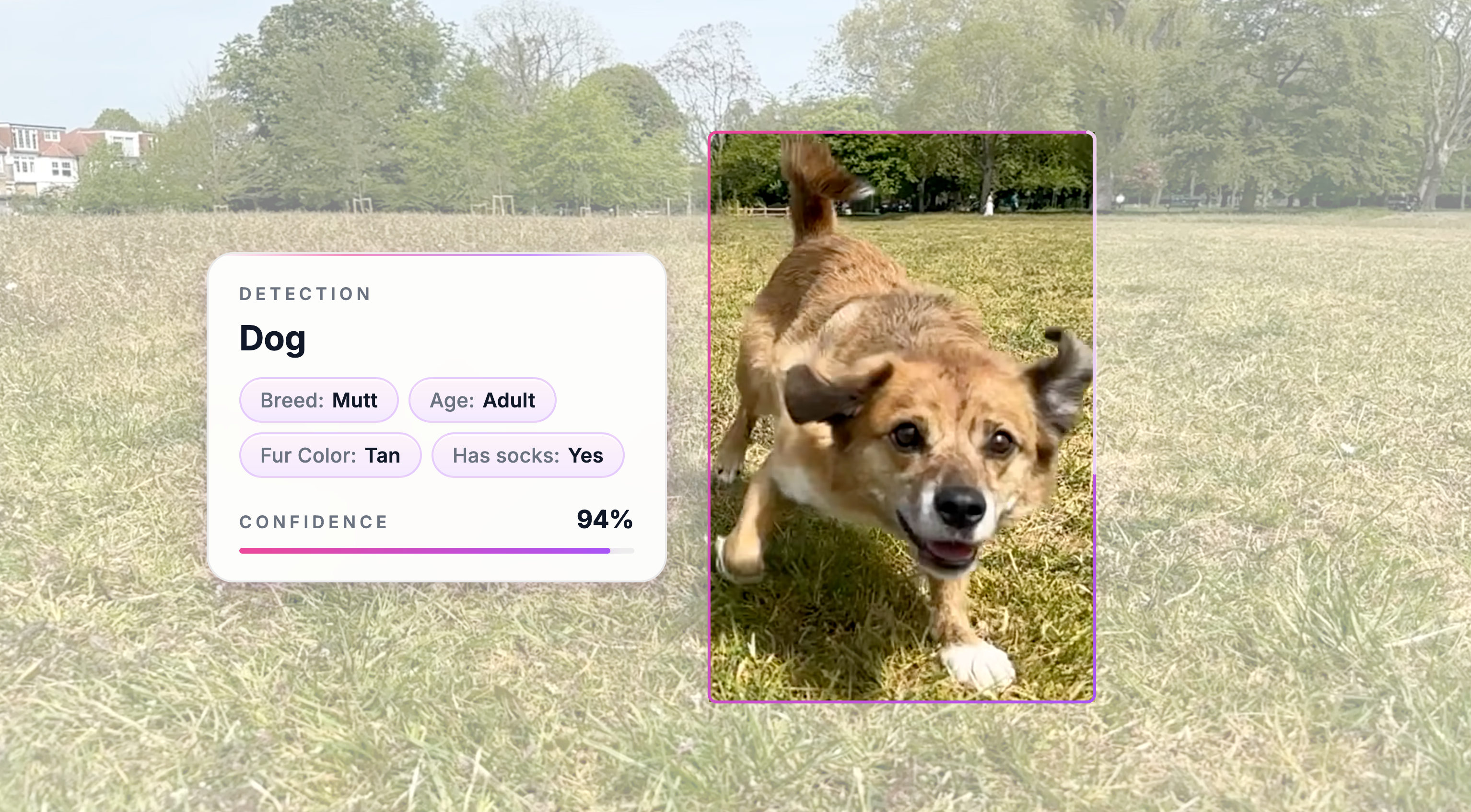
For example, if you are detecting dogs, you can ask the model to extract attributes like breed, fur color, fur pattern, age group, leash color, whether the dog is wearing clothes, and what color those clothes are.
For cars, you can extract details like body style, make, color, and visible accessories.
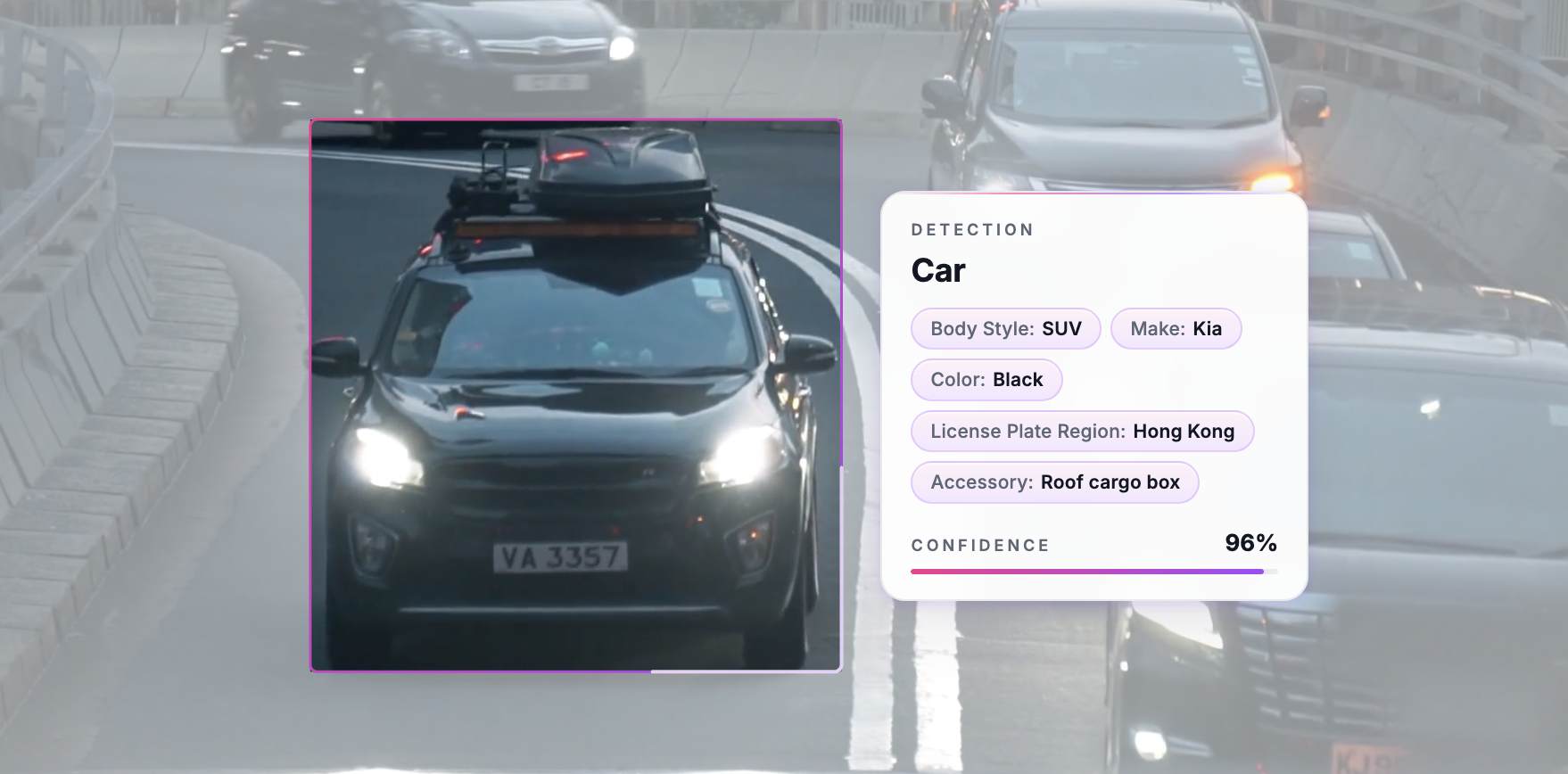
For this first version, we have mostly focused on attributes that are directly visible on the object itself. In testing, we’ve seen great performance on immediate attributes of objects - we are spooky good at determining the “make” for a car, even when all logos are obscured.
There are also areas where we know the current models still have gaps. The first is attributes that require jumping across relationships, like “the color of the cup the person is holding”. The second is attributes that are really about state or action, like “a cup spilled on the floor” or “a person running”. Those are important cases, and we’re actively working on them.
We will be releasing updates in the near future to continue to improve overall attribute performance, with a focus on these two areas.
AI Model Builder
Once we shipped attributes internally, we immediately faced a new problem: writing the model definitions. A “vehicles” model with body style + make + color + accessories runs to hundreds of category and attribute values.
This is why we built AI Model Builder - a chat interface for building and editing models. You can describe the model you want in a message, and the builder will turn that into a model definition.
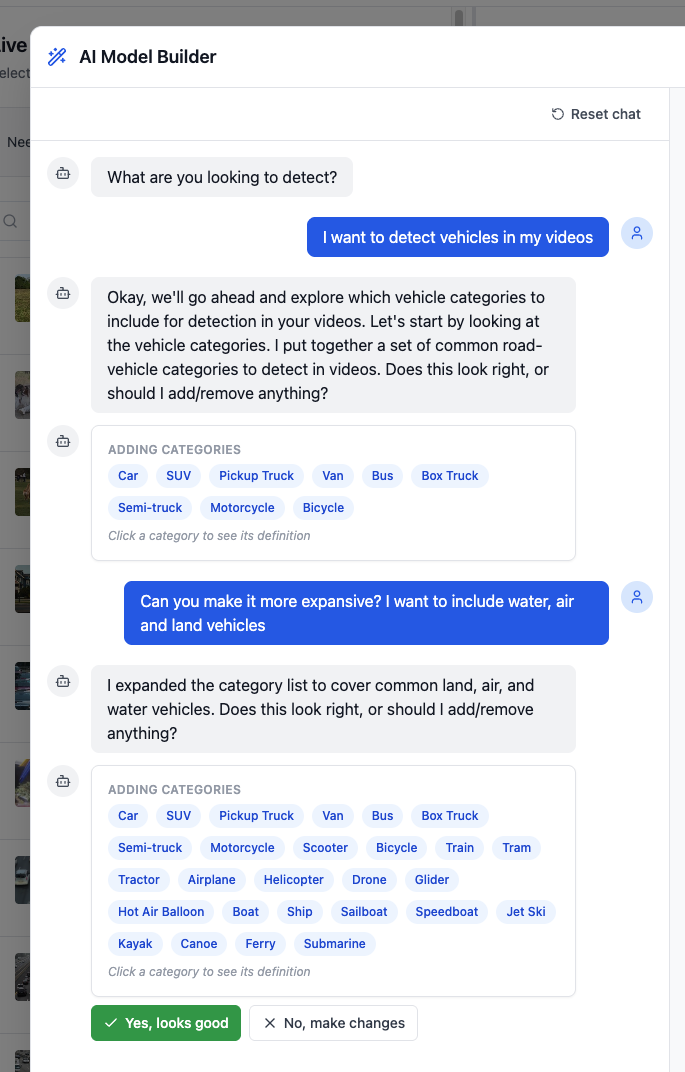
Simply tell AI Model Builder that you want to detect all kinds of vehicles, and it will get a set of categories going for you.
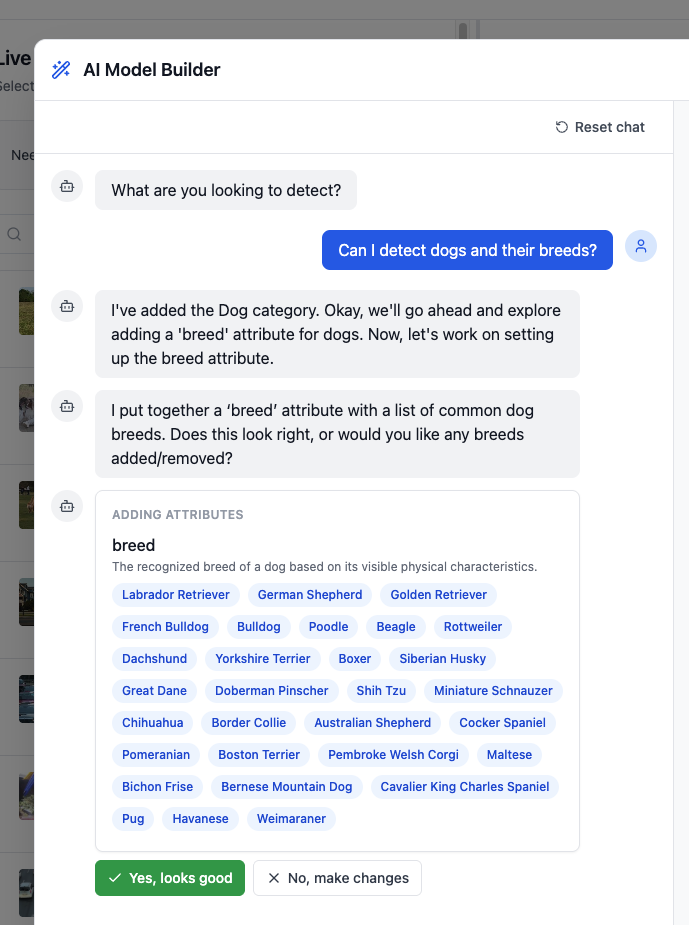
And if you want to get “dog breed” extracted for all of the dogs in a video, let it know and it will take care of adding the attribute definition.
And of course, you can still inspect and manually edit your models to dial in the model definition as you see fit.
Making it easier to analyze video
A lot of useful video analysis sits somewhere between “detect this object” and “understand everything happening in the scene”.
With the launch of rich attribute detection and AI Model Builder, we are making video analysis easier than ever. We’re excited to get this into your hands and learn where it works, where it breaks, and what we should improve next.
Let us know at @dragoneyeAI or contact us here.